Subtractive Synthesis and Music Theory, Explained
After reading this, you will know how a subtractive synthesizer turns a raw waveform into a musical sound, how an ADSR envelope and a filter cutoff shape that sound over time, and how the scale and chord highlighting on the keyboard comes straight from interval formulas.
What the studio does and one sound to try
A subtractive synthesizer starts with a bright, harmonically rich waveform and then removes frequencies until what remains sounds musical. The name is literal: you subtract. An oscillator produces the raw tone, a filter carves it, an amplifier shapes its loudness over time, and effects add space. The Synth & Music Theory Studio wires that chain into your browser and paints scales and chords onto the keys so you can hear theory instead of only reading it.
Here is a sound to try first. Load an acid bass preset, play a low note, and listen as the tone opens up and closes again on every keypress. That "wow" is not the waveform changing. It is the filter cutoff sweeping from about 200 Hz up to 4000 Hz and back down over a few hundred milliseconds. The oscillator is producing the same sawtooth the whole time. Your ear tracks the moving brightness, and that motion is what makes the note feel alive.
When to use it, and what it will not teach you
Use the studio to build intuition. If you want to hear the difference between a sawtooth and a square wave, or feel how a slow attack turns a pluck into a pad, or see which chords belong to A minor, the immediate feedback is the point. Change one knob, hear the result in the same breath.
Do not treat it as a model of a specific hardware synth. The math here is idealized. A real analog oscillator drifts, its filter has quirks in its resonance curve, and its envelope is shaped by capacitor behavior that no formula captures exactly. The studio uses clean digital versions. That makes the concepts easy to see and hear, but a preset here will not sound bit-for-bit like the vintage box it is named after.
Everything runs locally with the Web Audio API. Audio cannot start until your first click or key press, because browsers block sound until you interact with the page.
The waveforms and their harmonics
An oscillator repeats a shape at some frequency f. Middle A is f = 440 Hz, meaning the shape repeats 440 times per second. The shape decides which harmonics are present. Harmonics are integer multiples of f: 440, 880, 1320 Hz and so on.
A sine wave has only the fundamental and nothing else. A sawtooth contains every harmonic, with the amplitude of the nth harmonic falling off as 1/n. A square wave contains only the odd harmonics, also falling as 1/n. The sawtooth is written as a sum:
Here t is time in seconds, f is the note frequency, and n indexes the harmonics. The first harmonic (n = 1) has amplitude 1, the second has 0.5, the third 0.333, the fourth 0.25. That slow decay is why a sawtooth sounds buzzy: there is energy far up the spectrum for the filter to cut.
The filter, and why cutoff matters more than shape
The resonant low-pass filter passes frequencies below its cutoff f_c and attenuates those above. A one-pole low-pass has a gain that depends on frequency f like this:
|H(f)| is the fraction of a signal at frequency f that survives. At f = f_c the value is 1/\sqrt{2} \approx 0.707, a drop of about 3 decibels. Well below cutoff the gain is near 1; well above it, the signal is heavily reduced. Resonance adds a bump right at f_c, boosting frequencies near the cutoff before the rolloff.
Take a sawtooth at 440 Hz through a filter set to f_c = 880 Hz. The fundamental at 440 Hz sits at f/f_c = 0.5, so its gain is 1/\sqrt{1.25} \approx 0.894. The second harmonic at 880 Hz is at cutoff, gain 0.707. The fourth harmonic at 1760 Hz is at f/f_c = 2, gain 1/\sqrt{5} \approx 0.447. The high buzz is gone and the tone rounds off.
If a patch sounds dull, raise the cutoff before you touch anything else. If it sounds harsh, lower it. Brightness lives here, not in the oscillator choice.
The ADSR envelope over time
An envelope controls how a value moves from the moment you press a key (note on) to the moment you release it (note off). ADSR has four stages: attack, decay, sustain, release. Attack is the time to rise from 0 to peak. Decay is the time to fall from peak to the sustain level. Sustain is a level, not a time, held while the key is down. Release is the time to fall from sustain back to 0 after you let go.
Suppose attack A = 0.01 s, decay D = 0.2 s, sustain S = 0.6, release R = 0.3 s. Hold the key for 0.5 s. The amplitude rises to 1.0 in the first 10 ms, falls linearly to 0.6 by 0.21 s, stays at 0.6 until you release at 0.5 s, then falls to 0 by 0.8 s. The same envelope on the filter cutoff is what creates the pluck: cutoff jumps high on attack, then decays down, so the note starts bright and darkens.
Where the scales and chords come from
The twelve notes in an octave are equally spaced in pitch ratio. Each step up multiplies frequency by 2^{1/12} \approx 1.0595, so twelve steps double the frequency. A scale is a pattern of steps chosen from these twelve. The major scale is whole, whole, half, whole, whole, whole, half (W-W-H-W-W-W-H), where a half step is one semitone and a whole step is two.
Start on C. Add the pattern in semitones (0, 2, 4, 5, 7, 9, 11, 12) and you get C, D, E, F, G, A, B, C. Those are the white keys, which is why C major has no sharps or flats. The natural minor scale is W-H-W-W-H-W-W, giving semitones (0, 2, 3, 5, 7, 8, 10). The studio lights exactly these notes.
Chords come from stacking every other scale note. Build a triad on each scale degree and you harmonize the key. In C major the seven triads are C, Dm, Em, F, G, Am, Bdim. The famous I-V-vi-IV progression is C, G, Am, F. The chord buttons in the studio are these harmonized triads and sevenths, computed from the interval formula of whatever key and scale you pick.
| Degree | Root | Third | Fifth | Chord |
|---|---|---|---|---|
| I | C | E | G | C major |
| ii | D | F | A | D minor |
| iii | E | G | B | E minor |
| IV | F | A | C | F major |
| V | G | B | D | G major |
| vi | A | C | E | A minor |
| vii | B | D | F | B diminished |
Reproducing the default patch
Load the studio with its defaults and play A at 440 Hz through a sawtooth oscillator, cutoff at 880 Hz, and the envelope from above.
- The sawtooth presents harmonics at 440, 880, 1320, 1760 Hz with amplitudes 1, 0.5, 0.333, 0.25.
- The filter scales each by its gain: 0.894, 0.707, 0.555, 0.447.
- Multiply: the surviving amplitudes are 0.894, 0.354, 0.185, 0.112.
- The fundamental now dominates far more than in the raw saw, where the second harmonic was half the first. After filtering the second is only 0.354/0.894 = 0.40 of the first.
- The amplitude envelope multiplies the whole signal, rising to 1.0 in 10 ms and settling at 0.6 while held.
The spectrum analyser confirms step 3: the taller-than-expected fundamental and the quick dropoff above cutoff.
Explore the cutoff sweep
Common mistakes
Three errors trip up most beginners. First, blaming the waveform for a dull sound. If a patch lacks bite, the cutoff is usually low, not the waveform wrong. Second, a long attack when you wanted a pluck. An attack of 0.3 s means the note takes 300 ms to reach full volume, which is fine for a pad but mushy for bass. Third, expecting the chord buttons to fit every note you improvise. The scale highlight shows the safe notes; a chord borrows three of them, and playing a highlighted note over any of the key's chords will rarely clash.
Resonance near the top of its range can produce a loud self-oscillating tone at the cutoff frequency. If a note suddenly whistles or spikes, pull resonance down before you raise the volume.
Frequently asked questions
Why does the same waveform sound so different at different cutoffs?
Because the cutoff decides which harmonics survive. A 440 Hz sawtooth at cutoff 400 Hz keeps almost only the fundamental (gain 0.674 there) and sounds dull. At cutoff 4000 Hz it keeps eight or more harmonics and sounds buzzy. Same oscillator, different spectrum.
What is the difference between sustain and the other envelope stages?
Sustain is a level, not a duration. Attack, decay and release are all times measured in seconds. Sustain is the amplitude the sound holds at, say 0.6, for as long as you keep the key down. Nothing about sustain depends on time.
Why do only certain keys light up when I pick a scale?
The tool applies the scale's interval formula from your chosen root. C major uses semitone offsets 0, 2, 4, 5, 7, 9, 11, which land on the seven white keys. Change the root to G and the same pattern lights G, A, B, C, D, E, F#, so one black key joins.
Why is there no sound until I click first?
Browsers require a user gesture before a page may produce audio. The Web Audio engine stays suspended until your first click or key press, then starts. This is a rule of the browser, not a setting in the tool.
Can I make a sound that clashes with the highlighted scale?
Yes, by playing keys that are not lit. Those are the five notes outside the scale. Used deliberately as passing tones they add color; landed on and held they will sound out of key.
Related tools

Slideshow Video Maker
Turn your photos into a video slideshow with music and transitions.
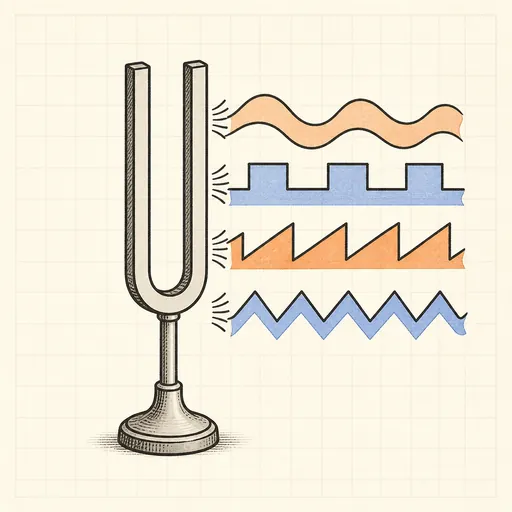
Tone Generator
Play sine, square, saw or triangle test tones.
Metronome
Steady click track with accents and tap tempo.

Text to Speech Playground
Read text aloud with your system voices.

Audio Format Converter
Convert between WAV, MP3, OGG, FLAC, M4A and more.
Audio Trimmer
Cut a section out of an audio file, with fades.