RSA Key Pairs, Explained
After reading this you will understand what an RSA key pair actually is, why the modulus size matters, and how to read the PEM files this tool produces without mistaking public for private or encryption for signing.
What an RSA key pair is
An RSA key pair is two numbers that share one large integer called the modulus. The public key is the pair (n, e). The private key is the pair (n, d), plus some extra values that speed up computation. The number n is the product of two large secret primes. Its size in bits (2048, 3072, 4096) is what people mean by "RSA key size".
The security rests on one fact: multiplying two 1024-bit primes to get a 2048-bit modulus is fast, but factoring that 2048-bit modulus back into its two primes is believed to be infeasible with current hardware and algorithms. Everything RSA does depends on that asymmetry.
Here is the hook. Anyone can hold your public key and use it to lock a message so that only you can open it, or to check a signature that only you could have made. They never need to trust you or share a secret channel first. That is the whole point of public-key cryptography, and RSA was the first practical construction of it (Rivest, Shamir and Adleman, 1977).
When to use RSA and when to reach for something else
RSA is a good default when you need broad interoperability. OpenSSL, OpenSSH, TLS libraries, JWT signers and PGP all speak RSA. If the other side is old or unknown, RSA usually works.
RSA is a poor choice when key size and speed matter. A 3072-bit RSA key gives roughly 128 bits of security. An elliptic-curve P-256 key gives the same 128 bits in a fraction of the space and with faster operations. The public keys differ by more than a factor of ten in size. If you control both ends and want speed, prefer ECDSA keys and signatures.
One more rule: pick the operation before you generate. A key configured for OAEP encryption is not the same object as a key configured for PSS signing in the Web Crypto API, even though the underlying math is RSA in both cases. Decide whether you will encrypt or sign, then generate.
Do not encrypt large files directly with RSA. RSA-OAEP can only encrypt a message smaller than the modulus, about 190 bytes for a 2048-bit key. Real systems encrypt a random AES key with RSA, then encrypt the data with AES. That pattern is called hybrid encryption.
The math, with intuition
Key generation picks two large primes p and q, then forms the modulus and a related value:
Here n is the public modulus and \lambda(n) is the Carmichael totient, which controls how exponents wrap around. The public exponent e is chosen as a small fixed number, almost always 65537. The private exponent d is the modular inverse of e:
That means d is the number for which e \cdot d \equiv 1 \pmod{\lambda(n)}. Encryption raises a message to the power e, and decryption raises the result to the power d, both modulo n:
The two exponents cancel because e \cdot d \equiv 1, so (m^{e})^{d} = m^{e \cdot d} = m \bmod n. The public knows e and n but cannot find d without \lambda(n), and finding that requires the factors p and q.
The raw m^e \bmod n operation is called "textbook RSA" and is never used directly. It is deterministic and malleable. Real systems wrap the message in a padding scheme first: OAEP for encryption (RFC 8017) and PSS for signatures. This tool applies those schemes for you.
A worked example you can reproduce with tiny numbers
Real keys use 617-digit numbers, which you cannot check by hand. So here is the same math with toy primes. The tool uses 65537 as e and secure 2048-bit primes, but the steps are identical.
RSA with p = 61, q = 53
- Choose primes p = 61 and q = 53.
- Compute the modulus: n = 61 \times 53 = 3233.
- Compute \lambda(n) = \text{lcm}(60, 52) = 780.
- Pick a public exponent coprime to 780. Use e = 17.
- Find d with 17 d \equiv 1 \pmod{780}. The answer is d = 413, because 17 \times 413 = 7021 = 9 \times 780 + 1.
- Encrypt the message m = 65: c = 65^{17} \bmod 3233 = 2790.
- Decrypt: 2790^{413} \bmod 3233 = 65. The original message returns.
The public key here is (3233, 17) and the private key is (3233, 413). Anyone who factors 3233 into 61 and 53 recovers d instantly. With 3233 that takes microseconds. With a real 2048-bit modulus it is the hard problem that keeps you safe.
Why size matters, with numbers
The cost of factoring does not grow linearly with key bits. It grows with the modulus itself, following the general number field sieve. Doubling the key size does far more than double the work. The table shows the accepted mapping from NIST SP 800-57.
| RSA bits | Security level (bits) | Comparable to | Relative sign speed |
|---|---|---|---|
| 2048 | 112 | 3DES-strength floor | 1.0x |
| 3072 | 128 | AES-128 | 0.35x |
| 4096 | ~140 | between AES-128 and 192 | 0.15x |
Read the last column carefully. Going from 2048 to 4096 bits multiplies your security level by about 1.25, but signing gets roughly seven times slower because the private operation cost grows with the cube of the key size. That is why 2048 is the minimum, 3072 is the sensible target for new long-lived keys, and 4096 is reserved for cases where you want margin and can afford the speed cost.
Reading the PEM output
This tool exports two blocks of Base64 text wrapped in header lines. They are not interchangeable.
- SPKI public key
- Begins with
-----BEGIN PUBLIC KEY-----. It contains n and e only. Share this freely. This is what someone needs to encrypt to you or verify your signature. - PKCS#8 private key
- Begins with
-----BEGIN PRIVATE KEY-----. It contains n, e, d, both primes p and q, and the CRT values. This is the secret. Anyone holding it can decrypt and sign as you.
The Base64 decodes to DER, a binary encoding. You will notice the private PEM is several times longer than the public one, because it carries the primes and the CRT coefficients that let decryption run about four times faster. If you see BEGIN RSA PRIVATE KEY instead, that is the older PKCS#1 format; this tool emits PKCS#8, which most modern libraries prefer.
Common mistakes
Three errors account for most RSA trouble.
Publishing the wrong file. The private PEM looks similar to the public one at a glance. Check the header line every time. If it says PRIVATE, it must never leave your control.
Mixing padding schemes. A key generated for RSA-PSS signing will fail if you feed it to an OAEP decryption routine, and vice versa. Match the operation to the key you created.
Reusing a key forever. A single key protecting years of traffic is a large target. Rotate keys on a schedule, and never generate them on a page you do not trust. This tool runs entirely in your browser and the private key is never transmitted, but you should still verify that before pasting a real key anywhere.
To confirm a key pair matches, encrypt a short string with the public PEM in the RSA encrypt and decrypt tool, then decrypt it with the private PEM. If the text comes back unchanged, the two halves belong together.
Related tools
Once you have a key pair, put it to work. Use RSA sign and verify to produce a PSS signature with your private key and check it with the public key. That proves a message came from you and was not altered. For confidentiality rather than authenticity, the encrypt and decrypt tool linked above handles OAEP.
Frequently asked questions
Which key size should I pick?
Use 3072 bits for new keys meant to last. It matches the 128-bit security level from NIST SP 800-57. Use 2048 only when a system cannot accept larger. Use 4096 when you want extra margin and can accept signing that is about seven times slower than 2048.
What is the public exponent 65537?
It is the standard value for e. Written in binary it is 10000000000000001, which has only two set bits, so exponentiation is fast. It is also large enough to avoid the small-exponent attacks that broke e = 3 in poorly padded systems.
Can I use one key pair for both encryption and signing?
Avoid it. Best practice separates the two so that a flaw in one protocol cannot weaken the other, and the Web Crypto API ties a key object to a single usage. Generate one key for OAEP and a separate key for PSS.
Is my private key safe with an online generator?
With this tool, yes, because generation and export happen in your browser and nothing is sent to a server. Confirm that claim yourself before trusting it with a production key: open the network panel and check that no request carries the key material.
How long does 2048-bit RSA stay secure?
NIST considers 2048-bit RSA acceptable through 2030 for most uses. A large quantum computer running Shor's algorithm would break it, but no such machine exists today. For data that must stay secret for decades, plan a migration to post-quantum schemes rather than a larger RSA key.
Related tools
ECDSA Keys, Sign & Verify
Elliptic-curve key pairs and signatures (P-256/384/521).
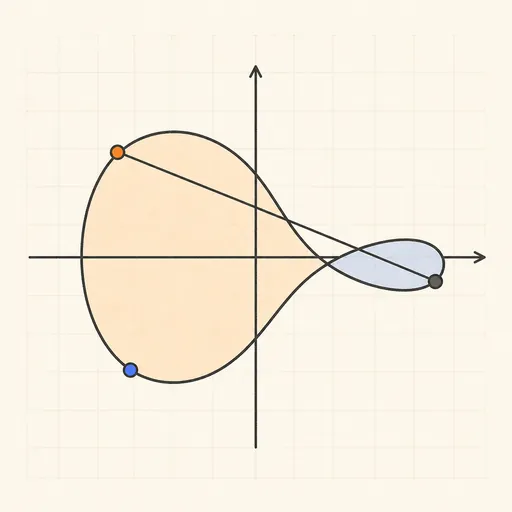
Elliptic Curve Visualizer
See curve addition, scalar multiples and a toy ECDH exchange — over the reals and over F_p.
RSA Encrypt & Decrypt
Encrypt with a public key, decrypt with the private key.

RSA Sign & Verify
Sign a message with RSA-PSS and verify the signature.
AES Encryption
Encrypt and decrypt text with AES-GCM or AES-CBC.
Cryptographic Key Generator
Random keys, IVs, salts and API tokens from a CSPRNG.