Cross-Stitch Pattern Maker, Explained
Read this to understand how a photo becomes a counted cross-stitch chart: how colors are reduced, how symbols and DMC codes are assigned, how skein and finished-size numbers are computed, and where the estimates go wrong.
What the tool does and one quick example
A cross-stitch chart is a grid. Each cell tells you which thread color to stitch there. To build that grid from a picture, the tool does three jobs in order: it shrinks the image to a fixed stitch width, it decides on a small set of colors, and it draws each color as a distinct symbol on a counted grid.
Suppose you drop in a 1200 by 900 pixel photo and ask for a chart 80 stitches wide. The tool scales the image to 80 columns. The height follows the aspect ratio: 80 \times (900 / 1200) = 60 rows. That is 4,800 cells. It then clusters the colors down to, say, 12, matches each cluster to a real floss shade, and prints a grid with bold lines every 10 stitches so you can count your place. At 14-count aida, 80 by 60 stitches finishes at about 80 / 14 \approx 5.71 inches wide by 60 / 14 \approx 4.29 inches tall.
When to use it, and when not
This tool suits photos and drawings with clear shapes and a limited number of important colors: a pet, a logo, a simple landscape, pixel art, a child's drawing. It also produces perler-bead charts, since a fused-bead grid is the same idea with square beads instead of stitches.
It works poorly on images that depend on fine gradients or tiny text. A sunset with 200 subtle sky tones cannot survive a reduction to 15 colors, and text under about 6 stitches tall turns to mush. If your finished chart is only 80 stitches wide, no detail smaller than one stitch will appear, because one stitch is the smallest mark the grid can hold.
Before committing, look at the symbols-only view. If you cannot tell the subject apart in black and white, a stitcher working from the printed chart will struggle too. Reduce the color count or raise the stitch width until the shapes read clearly.
The math behind color reduction
The tool does not compare colors as raw RGB numbers. Raw RGB distance does not match how your eye judges difference: two greens that look identical can be far apart in RGB, and two colors that look very different can be close. Instead, colors are converted to the CIELAB space, where straight-line distance tracks perceived difference reasonably well.
The distance between two Lab colors is ordinary Euclidean distance:
Here L is lightness (0 for black, 100 for white), a runs from green to red, and b runs from blue to yellow. A \Delta E near 1 is a difference you can barely see. A \Delta E of 10 or more is an obvious change. Clustering groups the image's pixels so that colors within a group are close in \Delta E, then each group's average color is mapped to the nearest palette entry by the same distance.
Two numbers control the outcome. The color count sets how many clusters you keep. The palette sets what each cluster can become: a real DMC floss shade, a generic bead color, or a free RGB value. With the DMC palette, even a perfect cluster average snaps to the nearest of about 100 stocked shades, so expect a small residual \Delta E between what you wanted and what you can buy.
A worked example using the demo defaults
From default image to a countable chart
Load the demo (it uses the field defaults) and follow the arithmetic. Say the defaults give an 80-stitch width, 14-count aida, and a reduction to 12 colors, on an image with a 4:3 shape.
- Rows follow width times aspect ratio: 80 \times 0.75 = 60 rows. Total cells: 80 \times 60 = 4800.
- The grid draws a bold line every 10 stitches, so you see an 8 by 6 block layout. Counting blocks is faster than counting single cells.
- Finished size at 14-count: 80 / 14 = 5.71 in by 60 / 14 = 4.29 in. At 18-count it shrinks to 80 / 18 = 4.44 in by 60 / 18 = 3.33 in.
- Each of the 12 colors gets a stitch count. Suppose the background alone claims 2,100 cells. Its skein estimate at the 1,800-stitch rule is 2100 / 1800 = 1.17, so you round up and buy 2 skeins.
The same 4,800 cells at 18-count still need 4,800 stitches of thread. Higher count does not save floss; it only shrinks the finished picture and the aida holes.
How stitch counts drive skein estimates
Thread usage scales with the number of full stitches in a color, not with area on the page. The rule of thumb built into the tool is about 1,800 full cross stitches per skein at 14-count with 2 strands. So the skein estimate for a color is its stitch count divided by 1,800, rounded up:
N is the number of stitches in that color and S is skeins to buy. A color with 900 stitches gives 900 / 1800 = 0.5, rounded up to 1 skein. A color with 3,700 stitches gives 3700 / 1800 = 2.06, rounded up to 3 skeins, because you cannot buy 0.06 of a skein and running short mid-project is worse than a small surplus.
The estimate assumes even tension and full stitches. Loose stitching, fractional (quarter and half) stitches, or frogging (unpicking and restitching) all raise real usage. Treat the number as a lower bound, and buy one extra skein of any color you cannot easily rematch later, since dye lots vary.
Reading the chart and the legend
The color preview shows each cell filled with its thread shade. The symbols-only view replaces each color with a black-and-white glyph. Both matter. You stitch from the symbols, because on your fabric the thread color is already there and the symbol is what tells apart two near-identical shades under lamplight.
- Count (14/16/18)
- Aida holes per inch. Higher count means smaller stitches and a smaller finished picture for the same stitch grid.
- DMC code
- A number identifying one floss shade, such as
310for black. The legend lists one code per color. - Skein
- A standard bundle of floss, commonly about 8 meters of 6-strand thread.
- Symbol
- The printed glyph standing for one color, so the chart stays readable in black and white.
Wide charts do not fit one page. The print layout splits them into page-sized bands and puts the legend on its own page, so you can lay bands side by side and keep the legend visible while you stitch.
Explore color count against fidelity
The single most instructive choice is the color count. Too few colors flattens the image; too many produces a legend no one wants to manage and shades too close to tell apart. The widget below lets you watch that trade-off.
Common mistakes
The most frequent error is choosing a stitch width far larger than the detail warrants. A 250-stitch-wide chart of a simple icon wastes weeks of stitching and floss for no added clarity. Match width to the smallest feature you need: if the eye of a cartoon face must be visible, and the face is a third of the image, the eye needs at least 2 or 3 stitches, so the face needs about 8 stitches, so the width needs about 24 stitches minimum. Scale up from there.
The second error is trusting the DMC code without a physical card. The built-in table is a curated subset of about 100 shades, not the full 500-shade range, so the code you see is the nearest match within that subset. A screen shows color differently from thread under your light. Check every code against a real color card before buying.
The third error is forgetting that fractional stitches and dark outlines eat more thread than the flat estimate suggests. If your chart leans on a heavy black outline, add a skein of that color beyond the computed number.
Related tools
If you want printable puzzles and party materials alongside your chart, several tools here fit the same print workflow. The Dot-to-Dot Maker turns a picture into a numbered connect-the-dots puzzle, which uses the same image-to-grid idea in a lighter form. The Graph Paper Generator prints exact-scale grids if you prefer to plot a chart by hand. For event kits, the Maze Generator and the Bingo Card Generator produce printable activities, and the Papercraft Box Generator makes true-size boxes to hold finished pieces or supplies.
Frequently asked questions
How many colors should I pick?
Start at 12 to 20 for a photo. Below 8, most photos lose their subject. Above 25, you tend to get pairs of shades within a \Delta E of 2 or 3, which are hard to tell apart on fabric and slow you down.
Why does the DMC code look slightly off from my image?
Two reasons stack. First, clustering averages many pixels into one color. Second, that average snaps to the nearest of about 100 stocked shades. Each step adds a little \Delta E. Verify against a physical card.
Does a higher aida count use less thread?
No. Thread usage depends on the number of stitches, which does not change with count. A higher count only makes each stitch smaller, so the finished picture shrinks. An 80 by 60 chart is 4,800 stitches at 14-count and at 18-count alike.
How accurate are the skein numbers?
They assume about 1,800 full stitches per skein at 14-count with 2 strands and round up. Loose tension, fractional stitches, and unpicking push real usage higher, so treat the figure as a floor and keep a spare skein of any color hard to rematch.
Can I use this for perler beads?
Yes. Choose the bead palette. The grid, symbols, and counts work the same way, with each cell standing for one bead instead of one stitch.
Related tools
String Art Generator
Turn a photo into string art: one continuous thread wound around nails, with the exact nail sequence and a printable template.
Graph Paper Generator
Print exact-scale graph paper: square, dot, isometric, hex, lined, polar and log grids.
Knitting & Crochet Gauge Converter
Convert stitch and row counts between gauges, or size a project from your own tension.
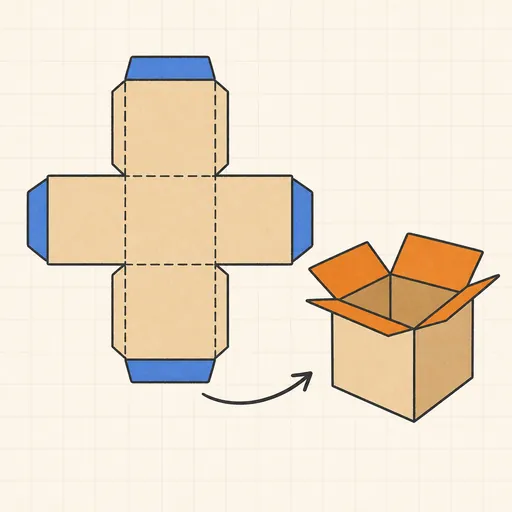
Papercraft Box Generator
Generate printable box templates (nets) with fold lines and glue tabs at true physical size.
Printable Sundial Generator
Design a printable horizontal or vertical sundial tuned to your exact latitude.