How Text Diff Works, From Lines to Words
After reading this you will know how a line-by-line diff decides what changed, how the longest-common-subsequence algorithm produces the shortest sensible edit, and how to read added, removed and modified lines without being fooled by whitespace or reordering.
What a text diff actually computes
A diff takes two texts, call them A and B, and reports the smallest set of insertions and deletions that turns A into B. It does not guess intent. It answers one narrow question: which lines are shared, in order, and which are not.
Here is the hook. Compare these two single-line texts:
A: The quick brown fox
B: The quick red fox
A naive character comparison would say the strings differ starting at position 11 and stay different to the end, flagging brown fox against red fox. That is technically true and useless. A good diff instead reports that The quick and fox are unchanged, and only the word brown became red. That is a one-word edit, not a nine-character smear. The Text Diff Checker gets there by first matching whole lines, then comparing words inside the one line pair that changed.
When to use it, and when not
Reach for a diff when you have two versions of the same document and you need to see the change, not just that a change happened. Typical cases: a contract clause someone edited, two drafts of an article, a config file before and after an automated reformat, or two API responses you expect to match.
A diff is the wrong tool in three situations. First, when the two texts are unrelated: the algorithm will still produce output, but "delete everything, then add everything" tells you nothing. Second, when you only want counts or structure, in which case a Word & Character Counter is more direct. Third, when the difference is an invisible character such as a zero-width space or a non-breaking space that looks identical on screen. For that, inspect the codepoints with the Unicode Inspector, because a line diff will report the lines as different without showing you why.
Two lines that look identical can still diff as changed. A trailing space, a tab where you expected spaces, or a CRLF line ending against a bare LF all count as differences. The whitespace-ignore toggle handles the first two; it cannot invent characters that are not there.
The longest common subsequence, and why it is the right target
The core of git diff and of this tool is the longest common subsequence, or LCS. Given two sequences (here, sequences of lines), the LCS is the longest ordered list of elements that appears in both, not necessarily next to each other.
Take two short sequences of letters standing in for lines:
The common subsequence \langle a, c, d, f \rangle has length 4. No longer common subsequence exists here, so that is the LCS. Everything in A but not in the LCS is a deletion (b). Everything in B but not in the LCS is an insertion (e). The unchanged parts are exactly the LCS.
The LCS is computed with a table. Let L[i][j] be the LCS length of the first i elements of A and the first j of B. The recurrence is:
Read it plainly. If either sequence is empty, the LCS is length 0. If the current elements match, extend the diagonal by one. If they do not match, take the better of dropping one element from A or one from B. The formula appears in Cormen, Leiserson, Rivest and Stein, Introduction to Algorithms, and the diff application traces back to Hunt and McIlroy's 1976 Bell Labs technical report on file comparison. Eugene Myers refined the practical algorithm in his 1986 paper "An O(ND) Difference Algorithm and Its Variations", which is what most modern diff tools, including git, actually run.
Why LCS rather than raw edit distance? Because maximizing the matched lines is the same as minimizing insertions plus deletions. If A has m lines and B has n lines and the LCS length is \ell, then the diff contains exactly m - \ell deletions and n - \ell insertions.
A worked example you can reproduce
Diffing the demo texts
Load the demo and you get these two texts. A (original):
Roses are red
Violets are blue
Sugar is sweet
And so are you
B (revised):
Roses are red
Violets are blue
Honey is sweet
And so are you
- Split both into lines. A has 4 lines, B has 4 lines, so m = n = 4.
- Find the LCS of lines. Lines 1, 2 and 4 match exactly:
Roses are red,Violets are blue,And so are you. Line 3 differs. The LCS length is \ell = 3. - Count edits: deletions m - \ell = 1, insertions n - \ell = 1. So exactly one line was removed and one added, which the tool shows as one modified line pair.
- Run the word-level diff on the changed pair. Split
Sugar is sweetandHoney is sweetinto words. The LCS of the word sequences is \langle \text{is}, \text{sweet} \rangle. OnlySugaris removed and onlyHoneyis added.
The result: three unchanged lines, one modified line, and inside that line one word highlighted as removed and one as added. Three words out of the line's three stayed put on the shared side, so the change is minimal.
Reading the two-level result
The output has two layers, and confusing them is the most common reading error. The line layer tells you the structure of the change: which lines survived, which vanished, which are new. The word layer only exists inside a modified pair, and it explains what happened within that one line.
- Unchanged line
- Present in both texts, in the same relative order. Part of the line-level LCS.
- Removed line
- In A but not matched in B. Contributes to the m - \ell deletions.
- Added line
- In B but not matched in A. Contributes to the n - \ell insertions.
- Modified line
- A removed line and an added line the tool pairs because they are similar enough to compare word by word.
Whether a removed line and an added line get paired into a "modified" line is a presentation choice, not part of the LCS. The tool pairs adjacent unmatched lines and runs a word diff on them. If the two lines share almost no words, the word diff will show nearly everything as changed, which is your signal that the lines are not really versions of each other.
Common mistakes
Four errors account for most confusion.
- Reading a smear as a rewrite. If two long lines differ by one word but the tool marks the whole line, check whether the word splitter treated punctuation as part of a word.
sweet,andsweetare different tokens. - Blaming the tool for whitespace. A reformatted block that re-wraps every line changes almost every line boundary. The LCS then finds few matching lines. Turn on whitespace-ignore, or compare after normalizing line wrapping.
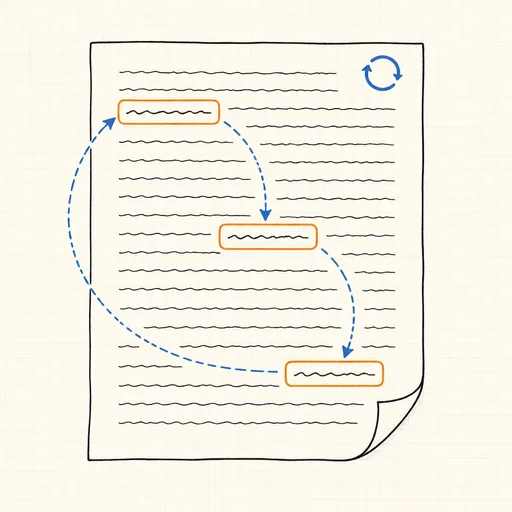
- Expecting move detection. LCS diff does not recognize a moved paragraph as "moved". A block cut from the top and pasted at the bottom appears as one deletion and one insertion, never as a relocation.
- Trusting equal-looking lines. Two lines can render identically and still differ by an invisible codepoint. When a diff insists two matching lines are different, inspect them.
If a diff looks noisier than the real change, diff at a finer or coarser grain. For prose, splitting on sentences instead of hard line breaks often produces a cleaner result, because re-wrapping does not move sentence boundaries.
How edit count scales
The number of reported edits depends only on the LCS length, so small structural changes stay small. Suppose both texts have 100 lines. If they share an LCS of 98 lines, the diff has 100 - 98 = 2 deletions and 2 insertions: 4 edits total. If a reformat drops the LCS to 40, you get 60 deletions and 60 insertions: 120 edits for the same underlying content. The chart shows how total edits (m - \ell) + (n - \ell) grow as the shared LCS shrinks, holding m = n = 100.
Related tools
A diff answers "what changed". Other questions need other tools. To measure the size and reading time of either version, use the Word & Character Counter. To check whether an edit made the text easier or harder to read, run both versions through the Readability Scorer and compare the Flesch scores. To see whether a rewrite shifted which words dominate, the Word Frequency & N-gram Analyzer lists the most common words and phrases. And when a supposedly identical line diffs as changed, the Anagram & Palindrome Checker can confirm whether two strings use the same letters in a different order, a different kind of "same but not equal".
Frequently asked questions
Is this the same diff that git uses?
The strategy is the same: a longest-common-subsequence line diff, following the Myers 1986 algorithm, with word-level highlighting inside changed lines. Git offers extra modes such as patience and histogram diff for cleaner results on some code, but the core idea and this tool match.
Why does it split by lines first instead of by words?
Lines are cheap and stable anchors. Matching lines first shrinks the problem, then the expensive word comparison runs only inside the few lines that actually changed. This is exactly what code review tools do.
Can it tell me a paragraph was moved rather than deleted and re-added?
No. A pure LCS diff has no concept of a move. Relocated text shows up as one deletion at the old spot and one insertion at the new spot.
Does ignoring whitespace change the reported words?
It changes which lines match, and therefore which lines get a word diff at all. Two lines that differ only by indentation become "unchanged" with the toggle on, so no word highlights appear for them.
Is my text uploaded anywhere?
No. The comparison runs entirely in your browser. Nothing you paste leaves your device.
Related tools
Keyboard Layout Analyzer
Paste your text and see QWERTY, Dvorak and Colemak fight it out — finger heatmaps, travel and effort.
Word & Character Counter
Words, characters, sentences, paragraphs and reading time.
Word Cloud Generator
Paste any text and get a word cloud in seconds — shapes, fonts, colours, stop words in 8 languages, PNG/SVG export.
Anagram & Word Finder
Words from your letters, exact anagrams and c?t patterns.

Readability Scorer
Flesch, Flesch–Kincaid, SMOG, Gunning fog and more.
Repeated Phrase Finder
Find the phrases you repeat too often in a draft or manuscript.