SVG to PNG Rasterization, Explained
After reading this you will understand what happens when a vector SVG becomes a grid of pixels, how to pick a target size that stays sharp, and how background choices affect the file you get back.
What rasterizing an SVG means
An SVG file describes shapes with math. A circle is stored as a center point and a radius, not as a set of colored dots. A PNG is the opposite: a fixed grid of pixels, each with a color and an alpha value. Rasterizing means evaluating the math of the SVG at a chosen resolution and writing the result into that grid.
The consequence matters. An SVG has no natural pixel size. You can render the same file at 16 x 16 for a favicon and at 2048 x 2048 for a poster, and both are equally correct. The SVG stays sharp at any size because the renderer recomputes every edge for the resolution you ask for. A PNG cannot do this. Once it is a grid, enlarging it just stretches existing pixels.
Here is the hook. Take a logo drawn as SVG that displays at 100 x 100 on screen. Render it to PNG at 100 x 100 and it looks fine. Render it at 1000 x 1000 and the curves are still crisp, because the renderer drew fresh geometry at ten times the density. Now take the 100 x 100 PNG and scale it up to 1000 x 1000 in an image editor. The edges turn into a blurry staircase. Same target size, very different quality, because one path kept the vector math and the other threw it away.
When to rasterize and when not to
Rasterize when the destination cannot use vectors. Email clients, most social media upload boxes, texture slots in games, and older document tools all want a bitmap. A PNG is also predictable: it will look identical everywhere, while an SVG can render slightly differently across engines when it uses fonts or CSS.
Keep the SVG when the destination understands it. Websites, modern app icons, and print workflows that accept vectors all benefit from staying scalable. A 4 KB SVG icon can replace a folder of PNGs at 16, 32, 64, and 128 pixels.
If you are unsure how large you will ever need the output, render at the biggest size you might plausibly use, then downscale copies from that master. Downscaling a large PNG stays sharp. Upscaling a small one does not.
The size and scale math
Every SVG has an intrinsic size, usually set by its width and height attributes or derived from its viewBox. Call those w_0 and h_0 in pixels. A scale factor s maps them to the output pixel grid.
Here w_{out} and h_{out} are the PNG dimensions in pixels, and the ceiling brackets round up to whole pixels because a grid cannot hold a fraction of a pixel. If you instead specify a target width directly, the scale factor is recovered from it.
To keep the shape from stretching, apply the same s to both dimensions. If you force a target width and a target height that imply different scale factors, the image squashes. An SVG that is 200 x 100 forced into 200 x 200 gets a horizontal scale of s_x = 1 and a vertical scale of s_y = 2, so every circle becomes an ellipse.
Memory and file size grow with the square
Doubling the scale doubles the width and the height, so the pixel count multiplies by four. A decoded PNG holds four bytes per pixel (red, green, blue, alpha). The raw memory in bytes is:
where B is bytes before compression. At 512 x 512 that is 4 \times 512 \times 512 = 1{,}048{,}576 bytes, about 1 MB uncompressed. At 1024 x 1024 it is 4 MB. The saved .png file is smaller because PNG uses lossless compression, but the ratio still grows fast. Flat vector art with large single-color regions compresses very well, often to a few percent of the raw size. Detailed gradients compress less.
Very large scale factors can exceed what your browser will allocate for a single canvas. Many browsers cap a canvas near 16384 pixels on a side or around 268 million pixels total. Ask for 50000 x 50000 and the render fails silently or returns a blank image. Stay within a few thousand pixels per side unless you have a specific reason.
A worked example using the defaults
Rendering a 256 x 256 icon at 2x
Take an SVG whose intrinsic size is 256 x 256, render it with a scale factor of 2, and keep a transparent background. Follow the numbers.
- Read the intrinsic size: w_0 = 256, h_0 = 256.
- Apply the scale: w_{out} = 2 \times 256 = 512 and h_{out} = 2 \times 256 = 512. No rounding is needed since both are whole numbers.
- Compute the pixel buffer: B = 4 \times 512 \times 512 = 1{,}048{,}576 bytes, so
1 MBin memory. - Keep transparency: every pixel not covered by a shape gets alpha
0, so the background shows through wherever you place the PNG. - Encode to PNG. A flat two-color icon at this size typically saves to somewhere between
5 KBand40 KB, far below the1 MBraw buffer, because long runs of identical transparent pixels compress heavily.
The output is a 512 x 512 PNG that looks identical in shape to the original SVG, drawn at twice the pixel density.
Explore how scale reshapes sharpness and size
Backgrounds: transparent or solid
SVGs usually have no background of their own, so anything outside the drawn shapes is transparent. PNG supports an alpha channel, so it can preserve that transparency. That is what you want for logos and icons meant to sit on varied surfaces.
Choose a solid background when the destination does not handle transparency, or when transparent pixels would show something you do not want. A JPEG conversion later, for example, has no alpha channel and will fill transparent areas with black unless you flatten to a solid color first. If you plan to convert onward, set a white or brand-colored background now.
A solid fill also changes compression. A single flat background color compresses well in PNG, so it rarely adds much to the file. A photographic background, by contrast, would inflate the size.
Common mistakes
- Expecting an SVG with no fixed size to render at a useful scale
- If the SVG has only a
viewBoxand nowidthorheight, its intrinsic size may default to something small like300 x 150. Set a target size explicitly rather than trusting the default. - Forcing mismatched width and height
- Locking both dimensions to values that imply different scale factors distorts the art. Set one dimension or a single scale factor and let the other follow.
- Assuming external images and fonts will appear
- The renderer does not fetch external resources referenced by the SVG. An SVG that pulls a web font or an external image will render with those pieces missing. Embed fonts as paths or reference only what is inside the file.
- Upscaling a PNG instead of re-rendering the SVG
- If you need a larger PNG, go back to the SVG and render again at the new size. Enlarging an existing PNG only stretches pixels and produces soft edges.
Related tools on this site
Once you have a PNG, the Image Format Converter turns it into JPEG, WebP, AVIF, or another format. If you have a bitmap and want to go the other direction, the PNG to SVG Tracer traces pixels into vector paths, though a traced result is an approximation and not the original vector. To embed a small PNG directly in HTML or CSS, the Image to Base64 tool produces a data URI. For iPhone photos, the HEIC to JPEG Converter handles the HEIC format that phones use.
Frequently asked questions
Why does my PNG look blurry when the SVG looked sharp?
You almost certainly rendered at a small size and then enlarged the PNG. Re-render the SVG at the final size you need. At the correct resolution the edges will be as sharp as the original because the renderer recomputes the geometry.
How big should I render an icon for a website?
Render at twice the display size for high-density screens. An icon shown at 48 x 48 CSS pixels should be a 96 x 96 PNG so it stays crisp on a 2x display. Or keep the SVG and skip rasterizing entirely if the site supports it.
Does a transparent background make the file larger?
No. The alpha channel is already counted in the four bytes per pixel of the raw buffer, and large regions of fully transparent pixels compress very well. A transparent icon is often smaller than the same icon flattened onto a photographic background.
What limits the maximum size I can render?
Browser canvas limits. Many browsers refuse a canvas larger than about 16384 pixels on a side or roughly 268 million total pixels. Stay well under that. If a huge render returns blank, halve the scale and try again.
Will CSS inside my SVG be applied?
Yes. The render uses the browser's own SVG engine, so styles and CSS written inside the SVG take effect exactly as the browser would show them. Resources loaded from outside the file are not fetched.
Related tools
HEIC to JPEG Converter
Convert iPhone HEIC/HEIF photos to JPEG or PNG.
Image Format Converter
Convert between PNG, JPEG, WebP, AVIF, GIF, BMP, TIFF and ICO.
Image to Base64
Turn images into data URIs and back.
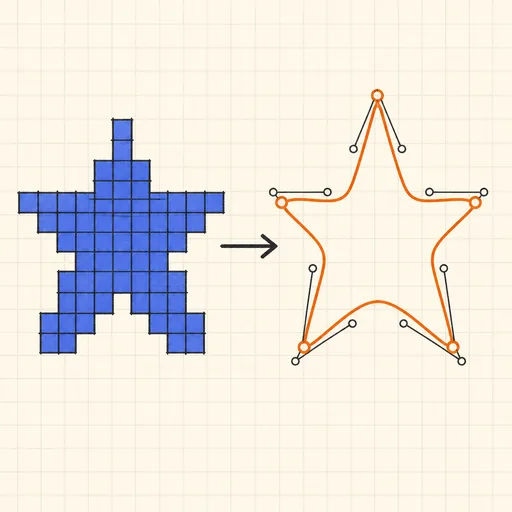
PNG to SVG Tracer
Trace a bitmap into a scalable SVG vector graphic.
EXIF Viewer & Remover
See and strip photo metadata: camera, GPS, dates.
Handwriting Font Maker
Turn your handwriting into a real font: print the template, write, photograph, download a TTF.