Handwriting Font Maker
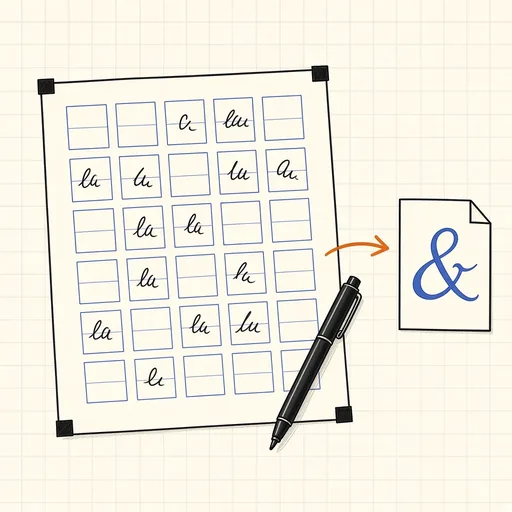
Print the template, write each letter in its box, photograph the page and download a TrueType font of your own handwriting. Two or three versions of every lowercase letter take turns as you type, so doubled letters never look stamped. Spacing and kerning are worked out from the shapes of your letters, and accents you write once are added to every letter that needs them.
Runs 100% in your browser — images never leave your device.
Notes
- The black corner squares and the code strip at the top tell the tool which page it is looking at and how the photo is tilted; the printed box edges then correct for paper that does not lie perfectly flat.
- With two or three versions per letter, the font's contextual alternates (the OpenType calt feature) rotate through them. Browsers, LibreOffice and Adobe apps do this automatically; in Word, tick Use Contextual Alternates under Font, Advanced.
- Side spacing comes from the white space inside each letter, so round letters sit a little closer than straight ones, and kerning pairs such as To, Ta, AV or r. are measured from the letter outlines.
- The accent boxes take each accent once; the tool places it over every matching letter, giving well over a hundred accented letters such as é, ñ, ü, ç and š.
- A black felt-tip or gel pen works best; ballpoint lines are often thin and grey. The light-blue guides are ignored automatically. A scanner gives the cleanest result, daylight from a window is the next best thing.
- Everything runs locally in your browser; your images are never uploaded to any server.
Related tools
QR Code Generator & Reader
Make QR codes and decode them from images.
Barcode Generator
EAN, UPC, Code 128 and more as PNG or SVG.
ASCII Art from Image
Turn any picture into text-mode art.
Dithering Tool
Floyd-Steinberg, Atkinson and ordered dithering effects.
Placeholder Image Generator
Custom-size placeholder images with labels.
Sprite Sheet Generator & Splitter
Pack images into a sprite sheet or slice one apart.