Big Number Calculator, Explained
After reading this you will know how to compute exact integer arithmetic with thousands of digits, read the results, and avoid the rounding traps that ordinary calculators fall into.
Type 2^512 - 1 and press Calculate. You get a 155-digit integer, every digit correct, no rounding and no scientific notation:
13407807929942597099574024998205846127479365820592393377723561443721764030073546976801874298166903427690031858186486050853753882811946569946433649006084095
A typical floating-point calculator would report this as 1.34078079299426e+154 and throw away the last 138 digits. This tool keeps all of them.
What arbitrary precision means
Ordinary hardware arithmetic stores a number in a fixed 64 bits. That gives you exact integers only up to 2^{63} - 1 = 9223372036854775807, about 19 digits. Beyond that, either the value overflows or it is stored as a floating-point approximation with roughly 15 to 16 significant digits.
Arbitrary precision (also called bignum) drops the fixed width. An integer is stored as a list of digit-chunks and grows to whatever size it needs. Adding two 4000-digit numbers produces a 4000- or 4001-digit answer, with no loss. The cost is speed: bignum arithmetic runs in software, so a multiplication of two 10000-digit numbers takes measurable time where a 64-bit multiply is a single instruction. For the sizes you will meet here, the wait is a fraction of a second.
Every operator here returns an exact result. There is no hidden rounding step anywhere. If an answer looks surprising, it is arithmetically true, not a display artifact.
The operators and functions
The expression grammar covers the operators you expect plus a few number-theory helpers. Precedence follows normal math: ^ binds tightest, then × and division, then + and −, and parentheses override everything.
+ − ×- Addition, subtraction, multiplication of integers. Results are always exact.
÷- Exact division. It returns a fraction in lowest terms, not a decimal. So
7 ÷ 2gives7/2, and6 ÷ 3gives2. //- Floor division.
7 // 2 = 3. The result is the largest integer not greater than the true quotient. %%- Modulo, the remainder that pairs with floor division.
7 %% 2 = 1. ^or**- Exponentiation.
2^10 = 1024. Exponents can be large; the answer grows fast. fact(n)- Factorial, the product 1 \cdot 2 \cdot 3 \cdots n.
isqrt(n)- Integer square root: the largest integer m with m^2 \le n. So
isqrt(1000) = 31because 31^2 = 961 and 32^2 = 1024. gcd(a, b),lcm(a, b)- Greatest common divisor and least common multiple.
abs(n)- Absolute value.
Why factorials and powers explode
The reason you need thousands of digits is that a few operations grow far faster than intuition suggests. The number of digits in a value n is about \log_{10} n + 1.
Each term \log_{10} k is how many digits the factor k contributes. Add them up and the total climbs steeply. At n = 100 the sum is about 158, so fact(100) has 158 digits. At n = 1000 it is about 2568 digits. Powers behave similarly: the digit count of 2^n is n \log_{10} 2 + 1 \approx 0.301 n + 1, so 2^512 has 0.301 \times 512 + 1 \approx 155 digits, matching the hook example.
Worked example: fact(100)
Computing 100 factorial exactly
Enter fact(100) and press Calculate. The result is:
93326215443944152681699238856266700490715968264381621468592963895217599993229915608941463976156518286253697920827223758251185210916864000000000000000000000000
- Count the digits: there are 158, which agrees with the estimate \sum_{k=1}^{100} \log_{10} k \approx 158 from the previous section.
- Look at the tail: it ends in 24 zeros. Those trailing zeros count how many times 10 divides the number, which equals the number of factors of 5 among 1, 2, \dots, 100.
- Check the factor-of-5 count directly: \lfloor 100/5 \rfloor + \lfloor 100/25 \rfloor = 20 + 4 = 24. That is exactly the 24 zeros you see, a claim you can verify by eye.
This is the value of an exact tool. The trailing-zero structure is real information about the factorization, and it survives only because nothing was rounded.
Reading fraction and floor results
Division is the one place where the output type changes. Plain ÷ gives an exact fraction, so 1 ÷ 3 returns 1/3, not 0.3333. That is the honest answer, since one third has no finite decimal form.
When you want an integer quotient and remainder instead, use floor division and modulo. They satisfy the identity below for every pair of integers with b \ne 0:
Here a \mathbin{//} b is the floor of the true quotient and a \mathbin{\%\%} b is the leftover. Check it with a = 17, b = 5: 17 // 5 = 3 and 17 %% 5 = 2, and indeed 3 \times 5 + 2 = 17. The remainder always has the same sign as the divisor, so -17 %% 5 = 3 and -17 // 5 = -4, since -4 \times 5 + 3 = -17.
When to use this and when not to
Reach for exact integer arithmetic when correctness of every digit matters: cryptographic exponents, factorial and binomial counts, checking a modular identity, or confirming a hand computation. Use it whenever a normal calculator would show e+ notation and you actually need the digits.
This is an integer and fraction engine, not a decimal one. It will not give you \pi to 1000 places or evaluate sin(2). If you type a decimal point where the grammar expects an integer, expect an error rather than a rounded float.
For irrational values, transcendental functions, or floating-point work, use a scientific calculator instead. For turning a huge exact result into readable scientific notation or a fixed number of significant figures, see the tool linked in the next section.
Common mistakes
Three errors account for most confusing outputs.
- Expecting a decimal from
÷. If you write22 ÷ 7and want3.142857..., you will instead get22/7. That is correct; the tool refuses to round. Convert the fraction elsewhere if you need digits. - Confusing
%%with a percent sign.50 %% 7is the remainder 1, not "50 percent of 7". There is no percent operator here. - Underestimating growth. An expression like
fact(fact(10))asks for the factorial of 3628800, a number with over 22 million digits. That is legitimate but slow and hard to display. Sanity-check the digit count with the formulas above before you run it.
Related tools
Once you have an exact integer, these calculators pick up where this one stops.
- Break a big number into primes or list its divisors with Prime Factorization & Number Theory, which also handles GCD, LCM and modular arithmetic in more depth.
- See a large value in binary or hexadecimal with the Number Base Converter.
- Turn an exact division result into a repeating decimal or continued fraction with the Fraction, Decimal and Continued Fraction converter.
- Compute exact combinations and permutations, which are ratios of factorials, with Combinatorics: nCr, nPr & Stirling Numbers.
- Compress a 155-digit answer into scientific notation with Scientific Notation & Significant Figures.
- For a change of pace, convert modest whole numbers with the Roman Numeral Converter.
Frequently asked questions
How many digits can it handle?
There is no fixed cap on correctness. Results with several thousand digits compute in well under a second. Beyond a few hundred thousand digits the computation and the display both slow down, so treat that as a practical ceiling rather than a hard limit.
Why does 1 ÷ 3 give a fraction instead of 0.3333?
Because one third has no finite decimal expansion. Rounding it would introduce error, and this tool never rounds. It reports 1/3, the exact value. Use the fraction converter to get repeating-decimal digits.
What is the difference between // and ÷?
Exact division ÷ keeps the full value as a fraction, so 7 ÷ 2 is 7/2. Floor division // throws away the fractional part and rounds down, so 7 // 2 is 3. Pair // with %% to recover the remainder.
Can I compute binomial coefficients here?
Yes, as a ratio of factorials. For example \binom{52}{5} is fact(52) ÷ (fact(5) × fact(47)), which returns the exact integer 2598960. The dedicated combinatorics tool does this in one step and handles larger inputs more cleanly.
Does it handle negative numbers and signs correctly?
Yes. Modulo follows the divisor's sign, so -17 %% 5 = 3, and the identity a = (a \mathbin{//} b) \cdot b + (a \mathbin{\%\%} b) holds for negatives too. Use abs when you want the magnitude only.
Related tools
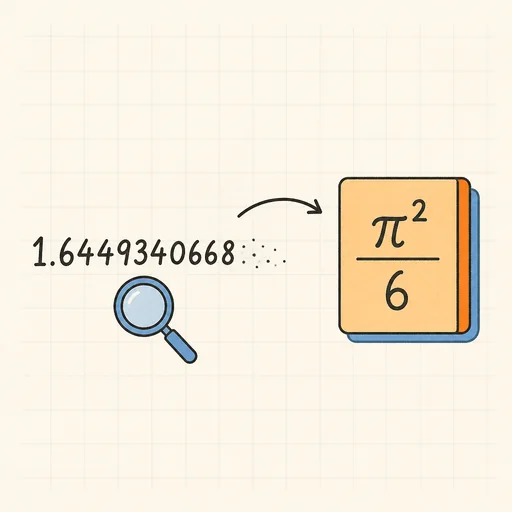
Inverse Symbolic Calculator
Paste a decimal, get its closed form: 1.6449340668 → π²/6. Also names integer sequences.
Number Base Converter
Binary, octal, decimal, hex and any base from 2 to 36.
Prime Factorization & Number Theory
Prime factors, divisors, GCD/LCM and modular arithmetic.
Scientific Notation & Significant Figures
Convert to scientific and engineering notation, round to sig figs.
Fraction ↔ Decimal ↔ Continued Fraction
Exact conversions with repeating decimals and convergents.
Roman Numeral Converter
Numbers to Roman numerals and back, with validation.