Number Base Converter, Explained
After reading this you will be able to convert any number between bases 2 and 36 by hand, check the converter's output digit by digit, and handle fractional parts without losing track of place value.
What a base actually is
A base (or radix) is the number of distinct digit symbols you use before you carry to the next column. In base 10 you have ten symbols, 0 through 9. In base 2 you have two, 0 and 1. In base 16 you have sixteen, so after 9 the counting continues with letters: a = 10, b = 11, up to f = 15.
Every position in a written number carries a weight that is a power of the base. Read the decimal number 255 from right to left: the 5 sits in the ones place (10^0), the next 5 in the tens place (10^1), and the 2 in the hundreds place (10^2). So 255 means 2 \cdot 100 + 5 \cdot 10 + 5 \cdot 1. Change the base and the same string of digits means something different, because the column weights change.
Here is the hook: the single value 255 is written ff in base 16, 11111111 in base 2, and 377 in base 8. Same quantity, four different faces.
When you reach for base conversion
Base conversion shows up whenever a number crosses a boundary between how humans read it and how a machine stores it. Colors on the web use hexadecimal (#ff8800 is red 255, green 136, blue 0). File permissions on Unix use octal (755). Network masks, bit flags, and memory addresses are easiest to reason about in binary or hex because each hex digit maps to exactly four bits.
You do not need base conversion for ordinary arithmetic; base 10 is fine for that. It also is not the right tool for exact fractions with repeating patterns. If you want to see 1/3 as a repeating decimal or as a continued fraction, use the Fraction to decimal converter. For very long integers in a single base, the Big number calculator keeps every digit.
The formula and the intuition
Any non-negative number in base b with digits d_n d_{n-1} \dots d_1 d_0 equals a weighted sum:
Here d_i is the digit in position i (counting from 0 at the right), and each digit satisfies 0 \le d_i \lt b. This formula turns any base into base 10. It is the direct route.
Going the other way, from base 10 into base b, you repeat integer division. Divide the number by b, record the remainder as the next digit (least significant first), and continue with the quotient until it reaches 0.
The remainder at each step is always a valid digit because it lies between 0 and b-1. Reading the remainders in reverse (last one first) gives the number in the target base.
To convert between two non-decimal bases, go through base 10 as a hub. Base 2 to base 10, then base 10 to base 16. That is exactly what the converter does internally, so its output for a two step problem matches your hand check.
Worked example: 255 from base 10 to base 16
Reproducing the demo
Enter 255, set the from base to 10 and the to base to 16, then press Calculate. The result is ff. Here is the division method that produces it.
255 ÷ 16 = 15remainder15. The digit 15 is writtenf.15 ÷ 16 = 0remainder15. Again the digitf.- The quotient is now 0, so stop. Read the remainders bottom to top:
fthenf, givingff.
Check it with the weighted sum in the other direction: 15 \cdot 16^1 + 15 \cdot 16^0 = 240 + 15 = 255. The two methods agree, which is the confirmation you want.
Fractional parts
Digits to the right of the point use negative powers of the base. In base 10, 0.5 means 5 \cdot 10^{-1}. To convert a fraction into base b, reverse the division trick: multiply by b, take the integer part as the next digit, keep the fractional remainder, and repeat.
Convert 0.5 from base 10 to base 2. Multiply by 2: 0.5 × 2 = 1.0. The integer part is 1, the remainder is 0, so you stop. The answer is 0.1 in binary, meaning 1 \cdot 2^{-1}.
Not every fraction terminates. Convert 0.1 from base 10 to base 2 and the multiplication cycles forever: 0.1 × 2 = 0.2, 0.2 × 2 = 0.4, 0.4 × 2 = 0.8, 0.8 × 2 = 1.6, and the pattern repeats. So 0.1 becomes 0.0001100110011... in binary. This is exactly why 0.1 + 0.2 is not exactly 0.3 in most programming languages. The converter shows a finite number of fractional digits, so treat a long fractional output as a rounded approximation, not an exact value.
Reading and interpreting the result
The converter shows the target-base string plus a quick view of the common bases (2, 8, 10, 16) for the same value. Read the letters as digits, not as text: 1e in base 16 is 1 \cdot 16 + 14 = 30, not the number nineteen.
Digit count tells you roughly how big a value is. The number of digits n needed for value N in base b is n = \lfloor \log_b N \rfloor + 1. For N = 255 in base 2, \lfloor \log_2 255 \rfloor + 1 = 7 + 1 = 8, matching the eight bits of 11111111.
| Base 10 | Base 2 | Base 8 | Base 16 |
|---|---|---|---|
| 10 | 1010 | 12 | a |
| 16 | 10000 | 20 | 10 |
| 100 | 1100100 | 144 | 64 |
| 255 | 11111111 | 377 | ff |
Common mistakes
The errors below account for most wrong answers.
- Using a digit too large for the base
- In base 8 there is no digit
8or9. The string19is invalid in base 8. In base 2, only0and1are legal, so102is not a binary number. - Reading remainders in the wrong order
- The division method produces the least significant digit first. Reverse the list before you read it, or you will get the digits backward.
- Confusing hex letters with a label
faceis a valid base-16 number equal to 64206. Letters up tofare digits, not words.- Expecting terminating fractions
- A fraction that terminates in base 10 may repeat forever in base 2, and the reverse also happens. Only fractions whose denominator divides a power of the base terminate.
Case does not carry extra meaning here. FF and ff are the same base-16 value 255. Some systems display uppercase, some lowercase, but the digit values are identical.
Related tools
Base conversion sits next to several other number utilities on this site. For divisibility, prime factors, GCD and modular arithmetic, use Prime factorization and number theory. For a different symbolic system with its own rules, the Roman numeral converter handles I, V, X and the rest with validation. When a value spans many orders of magnitude and you want a compact form, the Scientific notation and significant figures tool rounds and rewrites it. For choosing and counting objects rather than representing numbers, see Combinatorics.
Frequently asked questions
Why does base 36 stop at the letter z?
Base 36 uses the ten digits 0 through 9 plus the 26 letters a through z, for 36 symbols total. There is no standard single character for a 37th digit, so 36 is the practical upper limit for this style of notation.
How do I convert straight from binary to hex?
Group the binary digits into fours from the right and translate each group. 1111 1111 becomes f f, so 11111111 in base 2 is ff in base 16. Every hex digit is exactly four bits, which makes the mapping direct.
Is 0.1 in decimal exact in binary?
No. It becomes the repeating pattern 0.00011001100110011.... Because computers store a finite number of bits, they keep a rounded version, which is why 0.1 + 0.2 often prints as 0.30000000000000004.
What is the difference between base and place value?
The base is the number of digit symbols and the ratio between neighboring columns. Place value is the actual weight of a given column, which is the base raised to that column's index. In base 8 the third column from the right has place value 8^2 = 64.
Can I convert negative numbers?
Yes, the sign is independent of the base. Convert the magnitude, then keep the minus sign. -255 in base 16 is -ff. Machine formats like two's complement are a separate encoding and are not what plain base conversion produces.
Related tools
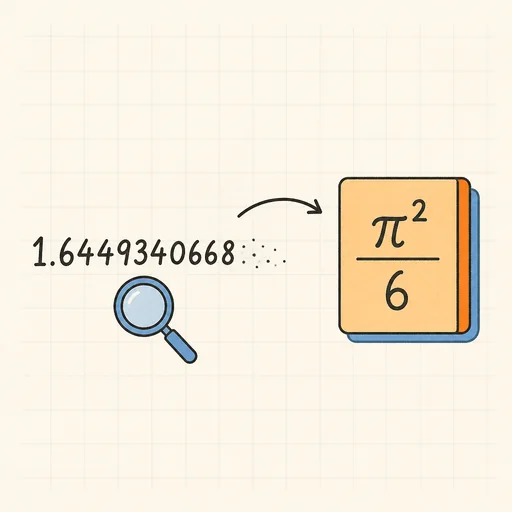
Inverse Symbolic Calculator
Paste a decimal, get its closed form: 1.6449340668 → π²/6. Also names integer sequences.
Prime Factorization & Number Theory
Prime factors, divisors, GCD/LCM and modular arithmetic.

Scientific Notation & Significant Figures
Convert to scientific and engineering notation, round to sig figs.
Big Number Calculator
Exact arithmetic with thousands of digits: +, −, ×, ÷, ^, fact().
Fraction ↔ Decimal ↔ Continued Fraction
Exact conversions with repeating decimals and convergents.
Roman Numeral Converter
Numbers to Roman numerals and back, with validation.