PDF Booklet Imposition, Explained
After reading this you will understand how a linear PDF gets reordered into fold-and-staple spreads, why the page count jumps to a multiple of four, and how to pick a signature size that folds flat instead of bowing at the spine.
What imposition is
Imposition is the arithmetic of turning reading order into printing order. When you fold a stack of sheets in half and staple along the crease, the pages do not land in the order you wrote them. Each physical sheet carries four pages: two on the front, two on the back. Fold that sheet and the outermost pair becomes the first and last pages of the finished book, while the innermost pair sits at the center.
Take a single sheet of paper. Fold it once. You get four faces, which read as pages 1, 2, 3, 4. But on the flat unfolded sheet, page 1 sits next to page 4 on one side, and page 2 sits next to page 3 on the other. The tool works out that pairing for any page count and lays each pair side by side on one landscape sheet, two pages up (2-up).
The hook: a 40-page essay printed the ordinary way is 40 portrait sheets. Imposed as a booklet it is 10 landscape sheets printed double-sided, folded and stapled into a 40-page book. Same content, one quarter the paper, and it reads like a printed pamphlet.
When to use it, and when not
Use booklet imposition when the finished object is a folded-and-stapled booklet: a zine, a concert program, a short manual, a wedding order of service. The reader holds a half-size book and turns pages normally.
Do not use it when you want one PDF page per printed sheet at full size. A contract, a poster, or a spreadsheet you plan to read flat should print straight through. Imposition shrinks two pages onto one landscape sheet, so text on A4 landscape 2-up is roughly A5 size. If your source already uses tiny type, the halving may push it below comfortable reading size.
Booklets read best when the source pages are portrait and the type is at least 11 point. After halving onto a landscape sheet, 11 point becomes about 8 point on the printed booklet, which is still legible. Start smaller than that and the fold will be hard to read.
The page-order formula
Let N be the padded page count, always a multiple of four. Number the sheets s = 0, 1, 2, \ldots from the outside in. The two pages printed on the front of sheet s, and the two on its back, follow a fixed pattern.
Here N is the total padded page count, s is the sheet index starting at 0, and each pair lists the left page then the right page as they sit on the landscape sheet. For the outer sheet (s = 0) the front holds pages (N, 1) and the back holds (2, N-1). Every step inward adds 2 to the low numbers and subtracts 2 from the high ones, so the pairs converge on the center of the book.
The padding rule is separate and simpler. The tool rounds the page count up to the next multiple of four:
where P is your original page count and \lceil \cdot \rceil rounds up. A 6-page document gives N = 4 \cdot \lceil 1.5 \rceil = 8, so two blank pages are appended. A 40-page document is already a multiple of four, so no blanks are added.
A worked example
An 8-page booklet, one signature
Suppose your PDF has 8 pages already. N = 8, so no padding is needed, and one signature covers the whole book. That means two sheets of paper, four sides in total.
- Sheet 0 front: pages
(8, 1). The 8 is N - 0, the 1 is 2\cdot0 + 1. - Sheet 0 back: pages
(2, 7). The 2 is 2\cdot0 + 2, the 7 is N - 1. - Sheet 1 front: pages
(6, 3). The 6 is N - 2, the 3 is 2\cdot1 + 1. - Sheet 1 back: pages
(4, 5). This innermost pair is the center of the booklet.
Stack the two sheets, fold the whole stack in half, and read: 1, 2, 3, 4, 5, 6, 7, 8. The pages fall in order because the imposition inverted the reading order to match the fold.
| Sheet | Side | Left page | Right page |
|---|---|---|---|
| 0 | front | 8 | 1 |
| 0 | back | 2 | 7 |
| 1 | front | 6 | 3 |
| 1 | back | 4 | 5 |
Signatures and why they matter
A signature is one folded stack of sheets. Bind the whole book as a single signature and it folds as one thick nest. That works for thin booklets. For thick books the inner sheets have to travel farther around the fold than the outer sheets, so their edges push out past the cover. That drift is called creep.
Split the book into signatures of 8 or 16 pages, fold and staple each one on its own, then nest the folded signatures in order. Each signature is thin, so its creep is small. The tool offers whole-book, 8-page, and 16-page signatures.
Estimate creep with a simple model. If paper thickness is t and a signature has n sheets, the innermost sheet sticks out by roughly:
where c is the creep at the fore-edge, n is the number of sheets in the signature, and t is the thickness of one sheet. For 80 gsm office paper, t \approx 0.1 mm. A 64-page single signature has 16 sheets, so c \approx 16 \times 0.1 = 1.6 mm of creep. Split into 16-page signatures (4 sheets each) and creep drops to 4 \times 0.1 = 0.4 mm per signature, which trims cleanly or hides in the margin.
Reading the preview before you export
The preview shows the imposed order, not your reading order. Do not be alarmed that page 8 appears first. That is correct: the outer sheet carries the last and first pages together. Check three things.
First, confirm the blank count. A 6-page source should show 8 pages with the last two blank, and those blanks should sit at the center-back, never in the middle of your content. Second, confirm orientation: every output sheet is landscape with two portrait pages side by side. Third, if you chose signatures, confirm the split points fall on multiples of 8 or 16 so no signature is left half-empty.
Common mistakes
The most frequent failure is printing with the wrong duplex flip. Booklet sheets must flip on the short edge, and you must print at 100% scale, not "fit to page". Flip on the long edge and every back side prints upside down relative to its front, so the folded book is unreadable.
The second mistake is scaling. If your printer driver shrinks pages to fit, the front and back of a sheet no longer align, and the fold cuts through text. Set scale to exactly 100%.
The third is nesting order for multi-signature jobs. Fold and staple each signature separately, then nest them in the same order the tool produced them, outermost signature outermost. Reversing two signatures reverses a block of 8 or 16 pages in the finished book.
The fourth is feeding a landscape source expecting portrait output. The tool places your pages as they are onto landscape sheets. A landscape source page becomes a small landscape panel with wide empty margins above and below. For booklets, start from portrait pages.
Related tools
Imposition is one step in a print workflow. Build the source first, then impose.
If your booklet is assembled from several files, combine them with the PDF Merger so the pages sit in reading order before you impose. To pull a chapter out for its own booklet, use the PDF Page Extractor, or cut a long file with the PDF Splitter. If a source page is sideways, fix it with the PDF Rotator before imposing. To check what identifying information rides along in the file, open the PDF Metadata Viewer & Stripper.
Frequently asked questions
Why does my 6-page PDF become 8 pages?
Saddle-stitch binding needs a multiple of four pages because each folded sheet carries four. Six rounds up to eight, so two blank pages are appended at the end. They land at the center-back of the book, out of the way.
Should I choose one signature or split into 8 or 16?
Under about 40 pages, one signature is fine and folds cleanly. Above that, split into 16-page signatures for normal paper, or 8-page for thick or heavy stock, to keep creep under about half a millimeter per signature.
Why print flip on short edge, not long edge?
Each landscape sheet has its two pages side by side across the long dimension. Flipping on the short edge keeps the back pair aligned with the front pair after folding. Long-edge flip rotates the back by 180 degrees, and the fold no longer matches.
Can I make a booklet from a landscape source?
You can, but the result looks odd. Landscape pages placed on a landscape sheet leave large blank bands. Booklets are designed around portrait source pages that halve onto a landscape sheet.
Does the file leave my computer?
No. The imposition runs in your browser with pdf-lib, and the result downloads directly as <name>-booklet.pdf. Nothing is uploaded.
Related tools

Images → PDF
Bundle JPG/PNG images into one PDF, one page each.
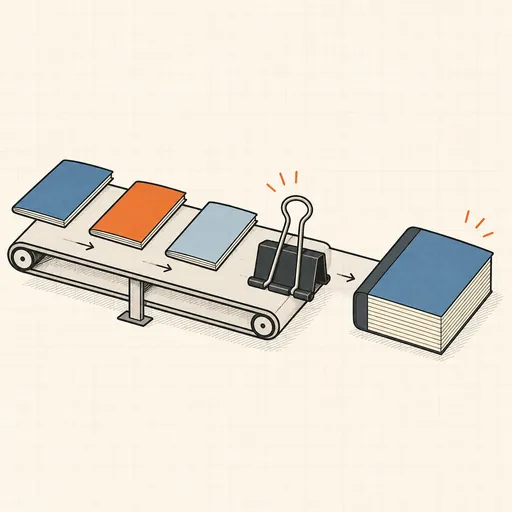
PDF Merger
Combine several PDFs into one, in the order you choose.
PDF Splitter
Split a PDF into single pages or custom ranges.
PDF → Images
Render PDF pages to PNG or JPEG, single or ZIP.
PDF Compressor
Shrink a PDF by re-encoding its images in the browser.

PDF Metadata Viewer & Stripper
See and remove a PDF's hidden metadata.